Posted: Mon Mar 30, 2009 12:27 am
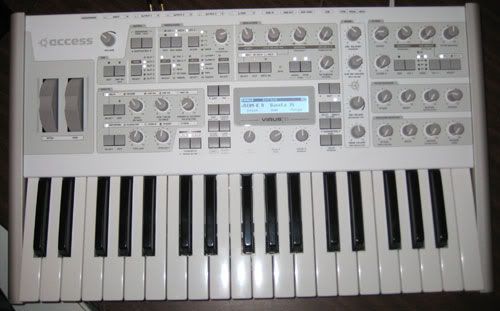
hd4000 wrote:ok so i got it friday.man this thing IS A BEAST!awesome overall sound,and you can really get into tweaking the sound.i already have a bassline done for our next track.
 needdddd
hd4000 wrote:ok so i got it friday.man this thing IS A BEAST!awesome overall sound,and you can really get into tweaking the sound.i already have a bassline done for our next track.
needdddd
I still haven't been able to do it either.gaston_UK wrote:EHHH??? $hy explain bruv, please tell me you don't mean that you are able to automate the LFO clock while synced??? if so, SPILL THE BEANS!!?? i swear i can't, i'm using OS3 with Cubase 4.5...am i missing something??COLLIDES wrote:GTFO!!DJ $hy wrote:At last you at Automate the lfo clock!
I guess I'll have to update my TI. Be interested to see if automating a clocked LFO actually works in Ableton...
i need answers!! haha

in cubase, if you want to automate the lfo or any other parameter, you go into the virus control panel (virtual one in cubase) right click on the part you want to add to the automation list, and shazaam its there...BUT i'm 99.99% sure that if you sync the LFO, you cannot right click and add this part to your automation list?.... FUCK i'm waiting on a new computer now, so dam eager to test this out but can't till next week!! SHIT!!Chewie wrote:Should be an lfo 1 to 3 clock parameter in the automation, i use logic so not sure what the deal with cubase is but it should be there.
Odeed if your bouncing down the virus i would definitely recommend you do it from the main outs to your soundcard (that's if you want 24bit sampling the usb outs are 16bit)
Ez
I'm in Ableton and the shit ain't there. Grrrr...Chewie wrote:Should be an lfo 1 to 3 clock parameter in the automation, i use logic so not sure what the deal with cubase is but it should be there.
Odeed if your bouncing down the virus i would definitely recommend you do it from the main outs to your soundcard (that's if you want 24bit sampling the usb outs are 16bit)
Ez


wo wo wo, hooooollld up.COLLIDES wrote:Alright I figured it out for Ableton (and I assume this should work in any program).
Open up the Virus Control.
Go to the LFO Page.
Next to each LFO there is a window where you select your waveshape. Right next to the waveshape it should say 'CLK 1/8' (or 1/4, 1/16 or whatever rate you have the LFO clocked to), control-click (or right click) on that 'CLK 1/8'.
Now, a dropdown menu should open up which asks you if you want to "Add LFO 1/ Clock #1 to Automation". Just select that, and BLAM, it is added to your automation list!!
So stoked!!!!!
Oh, and obviously this works for any other parameter you would like to automate.
gaston_UK wrote:wo wo wo, hooooollld up.COLLIDES wrote:Alright I figured it out for Ableton (and I assume this should work in any program).
Open up the Virus Control.
Go to the LFO Page.
Next to each LFO there is a window where you select your waveshape. Right next to the waveshape it should say 'CLK 1/8' (or 1/4, 1/16 or whatever rate you have the LFO clocked to), control-click (or right click) on that 'CLK 1/8'.
Now, a dropdown menu should open up which asks you if you want to "Add LFO 1/ Clock #1 to Automation". Just select that, and BLAM, it is added to your automation list!!
So stoked!!!!!
Oh, and obviously this works for any other parameter you would like to automate.
ok ok, i know how to add parameters to the automation list... BUT when you ( or when I infact ) SYNC the LFO, IE: clock it to 1/8 or 1/16, the option to add this parameter dissapears, its not available...
COllide - are you saying that you can still add this parameter when its synced??????
if so, PLEASe PLEASE load a screen shot for me, as i definitly can't do it in the latest version of cubase, with the latest update of the virus...
if you can, i'm gonna bring this issue up with steinberg and access, as this is a feature that i NEEEDDD!!!

seriously. this is enough to make me switch to logic. but FUCK. my mac just broke and i ordered a new PC, and i have bought cubase!! WHY ME GOD, why ME!!!!!!!COLLIDES wrote:gaston_UK wrote:wo wo wo, hooooollld up.COLLIDES wrote:Alright I figured it out for Ableton (and I assume this should work in any program).
Open up the Virus Control.
Go to the LFO Page.
Next to each LFO there is a window where you select your waveshape. Right next to the waveshape it should say 'CLK 1/8' (or 1/4, 1/16 or whatever rate you have the LFO clocked to), control-click (or right click) on that 'CLK 1/8'.
Now, a dropdown menu should open up which asks you if you want to "Add LFO 1/ Clock #1 to Automation". Just select that, and BLAM, it is added to your automation list!!
So stoked!!!!!
Oh, and obviously this works for any other parameter you would like to automate.
ok ok, i know how to add parameters to the automation list... BUT when you ( or when I infact ) SYNC the LFO, IE: clock it to 1/8 or 1/16, the option to add this parameter dissapears, its not available...
COllide - are you saying that you can still add this parameter when its synced??????
if so, PLEASe PLEASE load a screen shot for me, as i definitly can't do it in the latest version of cubase, with the latest update of the virus...
if you can, i'm gonna bring this issue up with steinberg and access, as this is a feature that i NEEEDDD!!!
Can you make that out? Sorry, it's kinda big, but I wanted you to be able to see it, obviously.
That's Ableton 7, actually.gaston_UK wrote:seriously. this is enough to make me switch to logic. but FUCK. my mac just broke and i ordered a new PC, and i have bought cubase!! WHY ME GOD, why ME!!!!!!!COLLIDES wrote:gaston_UK wrote:wo wo wo, hooooollld up.COLLIDES wrote:Alright I figured it out for Ableton (and I assume this should work in any program).
Open up the Virus Control.
Go to the LFO Page.
Next to each LFO there is a window where you select your waveshape. Right next to the waveshape it should say 'CLK 1/8' (or 1/4, 1/16 or whatever rate you have the LFO clocked to), control-click (or right click) on that 'CLK 1/8'.
Now, a dropdown menu should open up which asks you if you want to "Add LFO 1/ Clock #1 to Automation". Just select that, and BLAM, it is added to your automation list!!
So stoked!!!!!
Oh, and obviously this works for any other parameter you would like to automate.
ok ok, i know how to add parameters to the automation list... BUT when you ( or when I infact ) SYNC the LFO, IE: clock it to 1/8 or 1/16, the option to add this parameter dissapears, its not available...
COllide - are you saying that you can still add this parameter when its synced??????
if so, PLEASe PLEASE load a screen shot for me, as i definitly can't do it in the latest version of cubase, with the latest update of the virus...
if you can, i'm gonna bring this issue up with steinberg and access, as this is a feature that i NEEEDDD!!!
Can you make that out? Sorry, it's kinda big, but I wanted you to be able to see it, obviously.
i'm gonna mail access about this.
thanks collide for the pic
Yeah logic isn't all gravy unfortunately i had to contact access cos the virus control crashes using the browser and saving patchesgaston_UK wrote:seriously. this is enough to make me switch to logic. but FUCK. my mac just broke and i ordered a new PC, and i have bought cubase!! WHY ME GOD, why ME!!!!!!!COLLIDES wrote:gaston_UK wrote:wo wo wo, hooooollld up.COLLIDES wrote:Alright I figured it out for Ableton (and I assume this should work in any program).
Open up the Virus Control.
Go to the LFO Page.
Next to each LFO there is a window where you select your waveshape. Right next to the waveshape it should say 'CLK 1/8' (or 1/4, 1/16 or whatever rate you have the LFO clocked to), control-click (or right click) on that 'CLK 1/8'.
Now, a dropdown menu should open up which asks you if you want to "Add LFO 1/ Clock #1 to Automation". Just select that, and BLAM, it is added to your automation list!!
So stoked!!!!!
Oh, and obviously this works for any other parameter you would like to automate.
ok ok, i know how to add parameters to the automation list... BUT when you ( or when I infact ) SYNC the LFO, IE: clock it to 1/8 or 1/16, the option to add this parameter dissapears, its not available...
COllide - are you saying that you can still add this parameter when its synced??????
if so, PLEASe PLEASE load a screen shot for me, as i definitly can't do it in the latest version of cubase, with the latest update of the virus...
if you can, i'm gonna bring this issue up with steinberg and access, as this is a feature that i NEEEDDD!!!
Can you make that out? Sorry, it's kinda big, but I wanted you to be able to see it, obviously.
i'm gonna mail access about this.
thanks collide for the pic

You need to right click on the little box to the right of the lfo knob that alsogaston_UK wrote:EHHH??? $hy explain bruv, please tell me you don't mean that you are able to automate the LFO clock while synced??? if so, SPILL THE BEANS!!?? i swear i can't, i'm using OS3 with Cubase 4.5...am i missing something??COLLIDES wrote:GTFO!!DJ $hy wrote:At last you at Automate the lfo clock!
I guess I'll have to update my TI. Be interested to see if automating a clocked LFO actually works in Ableton...
i need answers!! haha
Dude im in ableton 7 and it works. Don't click on the knob, you gotta click on the rectangle to the right that also says the timing. Sorry for posting this twice but I wanted to make sure both you guys get it as ITS THE SHIT!COLLIDES wrote:I'm in Ableton and the shit ain't there. Grrrr...Chewie wrote:Should be an lfo 1 to 3 clock parameter in the automation, i use logic so not sure what the deal with cubase is but it should be there.
Odeed if your bouncing down the virus i would definitely recommend you do it from the main outs to your soundcard (that's if you want 24bit sampling the usb outs are 16bit)
Ez
Maybe in 8.
